
A comment section is more than a reaction feed. It is audience research in plain language. The hard part is scale: once a channel has hundreds or thousands of comments, manual review becomes slow and inconsistent.
A focused YouTube comment analyzer helps organize comments into sentiment, topics, questions, keywords, brand mentions, superfans, and action items. The goal is not to replace creator judgment. The goal is to make the strongest audience signals easier to see.
Where comment analysis fits in the Creator OS
In the current ANTRAMIC workflow, start with a channel you own or are authorized to manage. Check the connected account, video scope, and sync freshness, then read the source comments behind a theme or sentiment label. The public website does not analyze arbitrary third-party video URLs.
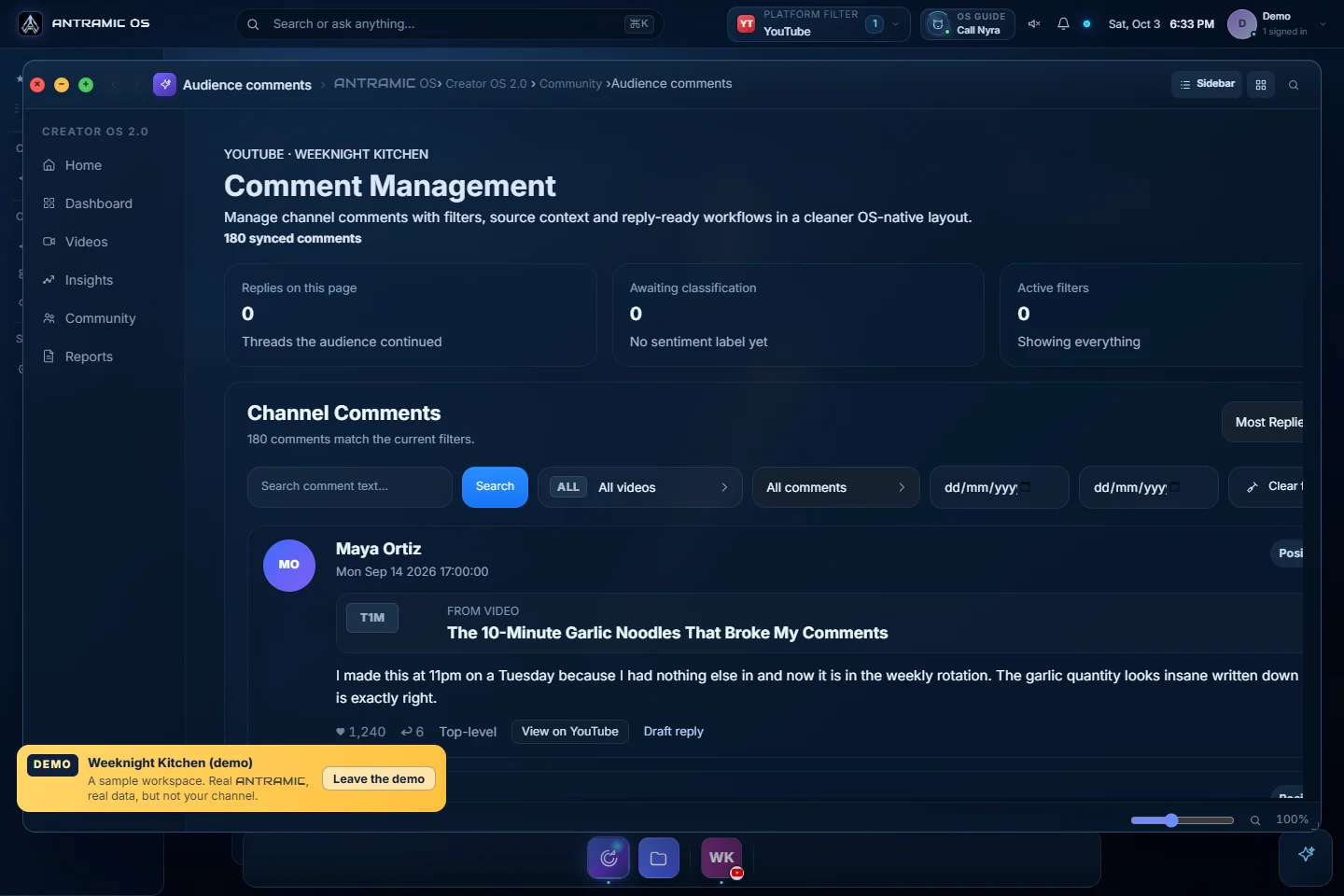
Use YouTube comment analysis for the current product workflow. The weekly creator review explains how to turn a verified question into one next action. Check feature availability before connecting another platform: Instagram and X are limited pilots, and clips, publishing, and commercial matching remain planned.
What YouTube Comment Analysis Means
YouTube comment analysis is the process of turning viewer comments into structured insights. Instead of reading comments one by one, you review grouped patterns: how people feel, what they ask, which products they mention, and what they want next.
Start With Sentiment
Sentiment gives the first layer of context. A video with many comments may look successful, but the emotional split matters. Are viewers excited, confused, skeptical, neutral, or disappointed?
Use YouTube comment sentiment analysis to review positive, negative, and neutral feedback. Then read sample comments inside each group so the report stays grounded in real viewer language.
How to Analyze YouTube Comments Step by Step
Connect comments safely
Use a tool with read-only YouTube access so you can analyze comments without giving posting or editing permission.
Separate sentiment first
Group comments into positive, negative, and neutral feedback so you know the emotional baseline before reading themes.
Find repeated topics and keywords
Look for the phrases, product names, questions, and objections viewers repeat across videos.
Review brand mentions and requests
Surface products, companies, tools, and sponsor clues that appear naturally in the audience conversation.
Turn signals into actions
Convert comment patterns into follow-up videos, pinned replies, community posts, sponsor research, or content fixes.
What to Do With the Results
Plan content from real demand
Repeated questions and confusion markers can become tutorials, shorts, pinned comments, or refreshed descriptions.
Improve audience messaging
Use viewer language from comments in hooks, titles, scripts, FAQs, and community posts.
Review monetization signals
Brand mentions and product requests can inform sponsor research, affiliate ideas, and creator media kit talking points.
Protect community trust
Negative sentiment and objections help you clarify topics before confusion spreads across more uploads.
Best Practices
Look for recurring patterns, not one-off comments.
Review comment examples behind every AI-generated summary.
Compare sentiment and topics across videos, not just one upload.
Use AI analysis as decision support, then apply creator judgment.
FAQ
Start by collecting comments, grouping them by sentiment, finding repeated topics and questions, reviewing brand or product mentions, and turning the strongest patterns into content and community actions.
Yes. AI can help organize YouTube comments into sentiment, topics, keywords, questions, brand mentions, and report summaries. Creators should still review examples before making important decisions.
The best tool depends on your workflow. Compare data access, evidence, ambiguity handling, collaboration, and usage limits before choosing a product.
Conclusion
The best way to analyze YouTube comments is to combine structured AI summaries with your own review of real comment examples. Start with sentiment, move into themes and questions, then turn those signals into content and community actions.
ANTRAMIC is built for that workflow: YouTube comment analysis and YouTube comment sentiment analysis in one creator-focused product.
Sources and review scope
This guide describes a creator-review workflow, not a performance study. Product and access claims were reviewed against ANTRAMIC's documented read-only workflow and the following primary guidance.